
Never Miss a Drinking Window Again: How WineNest Tracks When Each Bottle Is Ready
Bottles forgotten past their peak are the most common cellar failure. How WineNest's per-vintage drinking windows tell you what is ready tonight.

Every cellar has a bottle that waited too long. A Rioja Gran Reserva bought with intentions, forgotten behind the everyday bottles, opened a decade past its best. Drinking windows exist to prevent exactly that, and keeping them in your pocket is one of the quietest useful things WineNest does. This is how the feature works, and what it changes about the way you drink.
The problem: memory doesn't scale
With six bottles, you remember. With thirty, you start guessing. Past fifty, the arithmetic is genuinely against you: every producer and vintage combination carries its own curve, and the differences are not small. A Crianza from Rioja typically peaks somewhere in its first decade; a Gran Reserva from the same producer can still be climbing at twenty years. Multiply that by whites, by warm and cool vintages, by the handful of bottles someone gave you that you never researched, and "I'll remember" stops being a plan.
The result is asymmetric. Opening a bottle two years early wastes potential you paid for. Forgetting it for ten years past peak wastes the whole bottle. Most home collections lose more wine to the second failure than the first, because nothing in a wine rack announces that the clock has run out.
What the app actually does
Every wine in your WineNest collection shows its vintages, and each vintage carries a drinking window: the years between which that bottle is expected to drink at its best.
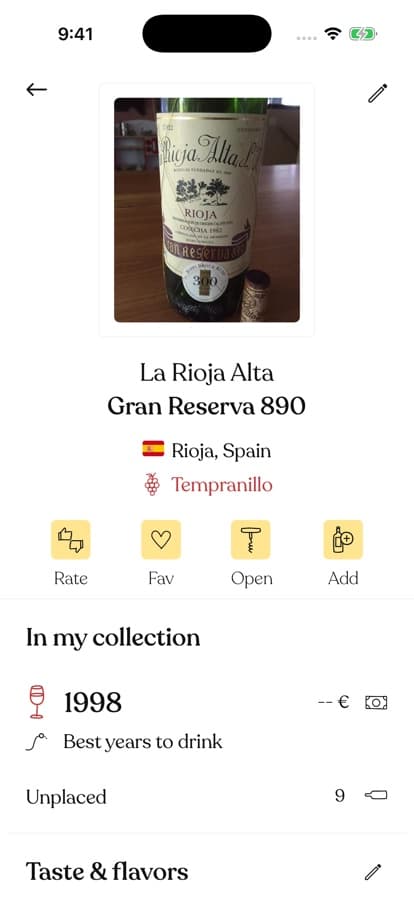 Each vintage in your collection carries its own window, right under the bottle count.
Tap the window and you get a simple editor: a "from" year and an "until" year on a picker wheel. Set it from the back label, from the producer's own recommendation, from a critic's note, or from your own experience with the previous bottle.
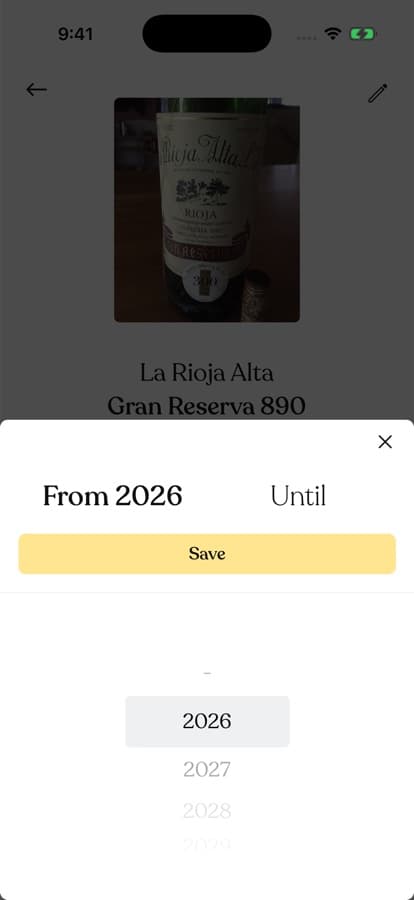 Two numbers per vintage: from when, until when. That's the entire interface.
The point is not precision theatre. Windows are honest ranges, not expiry dates, and a beginner's framework for estimating them gets you surprisingly far. The point is that the estimate lives with the bottle record instead of in your head, so when you scroll your cellar on a Friday evening the app can answer the only question that matters: which of these is ready now?
What changes in practice
Owners of small collections use windows to protect their few serious bottles. Owners of large ones use them the other way round, as a to-drink list: sort by what is inside its window and you stop defaulting to the same safe bottle while better ones quietly fade. If you keep verticals, per-vintage windows also turn comparison into a plan — open the 2016 now, hold the 2019 until the end of the decade.
There is a knock-on effect nobody expects: you buy better. Once you see how much of your cellar is ready at the same time, you start buying bottles that spread the timeline instead of stacking another case onto an already crowded peak.
Frequently Asked Questions
Where do the drinking windows come from?
You set them per vintage, and that is deliberate. Producers, critics and back labels often disagree; the app records the judgement you trust rather than imposing one. Setting a window takes about five seconds per vintage.
What if I have no idea when a bottle peaks?
Start with the grape and the category. Structured reds with obvious tannin and acidity reward waiting; most whites and nearly all inexpensive reds are made to drink young. When in doubt, set a generous window and tighten it after you open the first bottle of the batch.
Do I need windows for everyday wine?
No. A 9 € midweek red does not need cellar management. Windows earn their keep on the bottles you bought specifically to keep, which is exactly where memory fails.
If your wine lives in a rack and its schedule lives in your head, move the schedule into the same place as the inventory. Download WineNest and let each vintage tell you when it's ready.