
Map Your Wine Cellar in the App: Give Every Bottle an Address
An inventory says what you own; a map says where it is. How WineNest models cabinets shelf by shelf so no bottle hides from you again.

The most common wine-storage failure has nothing to do with temperature. It's simpler: you know you own a bottle, and you cannot find it. It's behind something, or in the other rack, or in the box that never got unpacked. WineNest's locations feature exists for that moment: it gives every bottle an address, so the question "where is the 2016?" has an answer that isn't "somewhere".
An inventory tells you what. A map tells you where.
Most tracking apps stop at the inventory: a list of what you own. That works until the collection outgrows a single rack. The general principles of organising a cellar all assume one thing a list can't give you — a mapping between the record and the physical object. Once bottles live in two or three places (a wine fridge, a rack, the dark cupboard that stays cool in summer), the list needs a second dimension.
WineNest models this with locations. Each location is either a cabinet, with real shelves you configure, or a free space with no internal ordering, for the pile that lives in the cupboard. Your collection screen shows every location and how many bottles are placed in each; anything not yet assigned shows up plainly as Unplaced, so the gap between "tracked" and "physically mapped" is always visible.
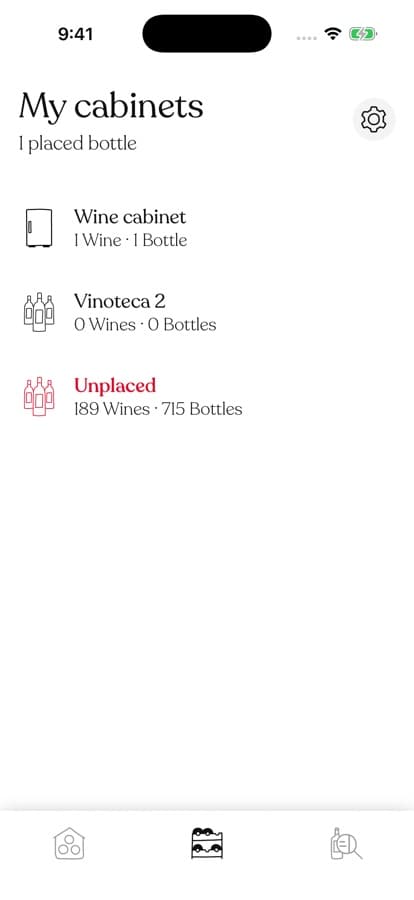 Locations at a glance, including the honest red count of bottles you haven't placed yet.
Shelf by shelf, like the real thing
Open a cabinet and you see its shelves exactly as they hang in your kitchen or cellar: shelf 1, shelf 2, each with the label photos of the bottles on it. Grouping by rack or by wine, plus search inside the location, means even a full 100-bottle cabinet stays navigable.
From list to shelf: the app mirrors the physical cabinet, label photos included.
Creating a location takes under a minute. Pick the type, name it, and set the shelf count with a visual designer that draws the cabinet as you adjust it. Bottles per shelf stay flexible, because real shelves don't enforce quotas.
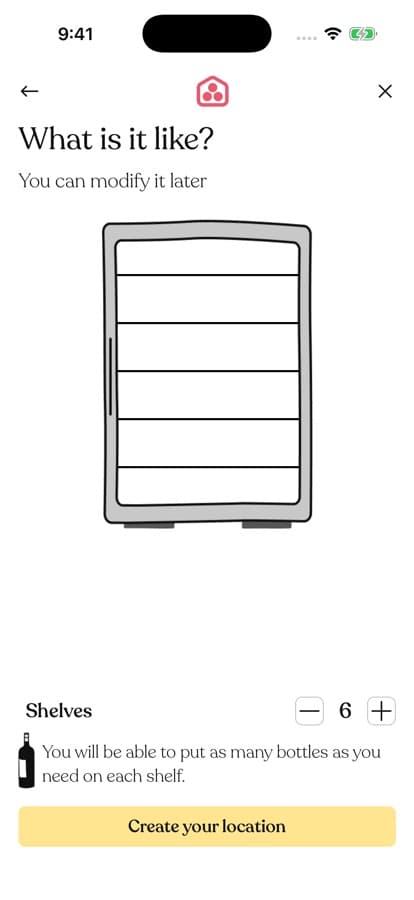 Six shelves, four, ten: the designer mirrors whatever hardware you actually own.
Why the address matters more as summer arrives
A map earns its keep the day you rearrange. When the warm months force wine out of the kitchen and into the coolest interior spot in the flat, a mapped cellar moves without chaos: reassign the bottles to their new location in the app as you carry them, and nothing gets lost in the shuffle. The alternative is the classic September ritual of rediscovering what you own.
There's also a gentler daily benefit. When a friend asks what you'd open tonight, you browse the app at the table instead of crouching in front of the rack reading foils. Find the bottle on screen, see its shelf, walk straight to it.
Frequently Asked Questions
Do I have to place every bottle?
No. Placement is progressive: bottles you haven't assigned simply stay in the Unplaced group. Many people map only their main cabinet and leave the everyday six-pack loose.
What if my storage is just a pile in a cupboard?
Create a location with no specific ordering. You still get the address ("it's in the cupboard") without pretending the cupboard has shelves.
Can one wine live in two places?
Yes. Placement is per bottle, not per wine. Three bottles of the same Ribera can sit in the fridge, the rack and the cupboard, and the wine's page shows all three addresses.
If your cellar has ever hidden a bottle from you, give every bottle an address. Download WineNest and map your storage in the time it takes to pour a glass.