
Your Wine Journal Writes Itself: Bottles Consumed, Ratings and Favourites
Taste is built on repetition, but memory discards it. How WineNest's consumption log and ratings quietly teach you your own palate.

Ask someone what they drank last month and you'll get three bottles and a shrug. Taste is built on repetition, but memory throws most of the repetitions away: the surprising Godello from March, the Bierzo that underperformed, the exact vintage of the Rioja everyone loved at your birthday dinner. WineNest keeps a drinking history so those data points stop evaporating, and it turns out to be the feature that teaches you the most about your own palate.
Opening a bottle is one tap, and that's the trick
Every wine page in the app carries four actions: Rate, Fav, Open, Add. The one that builds your history is Open. Tap it when you pull the cork and the bottle moves from your inventory to your consumption log, stamped with the date and the vintage. The inventory stays honest (no ghosts of bottles long drunk) and the journal builds itself as a side effect.
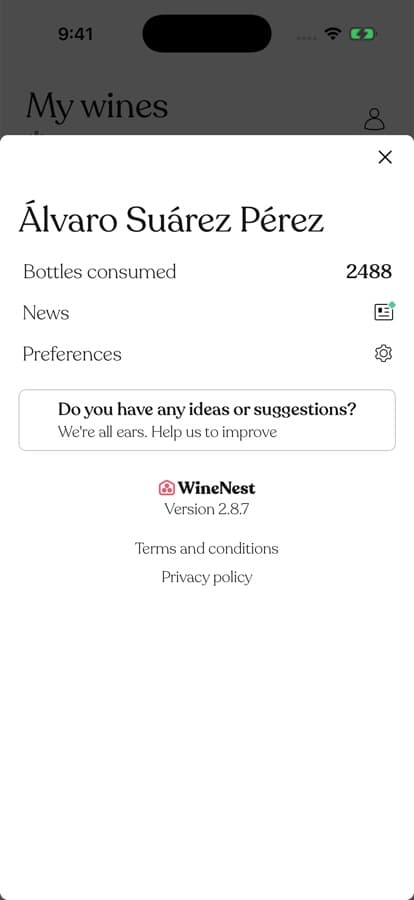 The profile keeps the running total; every bottle in it carries its date and vintage.
The log is not a counter for bragging. Each consumed bottle keeps its full record: which vintage, when you opened it, what it cost, where it had been stored. Scrolling it a year later reads like a diary written by your table.
Ratings close the loop
Consumption tells you what you drank; ratings tell you what you thought. WineNest's rating is deliberately simple — thumbs, per vintage, plus a heart for favourites and structure sliders if you want to record why: light or bold, dry or sweet, soft or acidic, with flavour tags for oak, fruit and ageing notes.
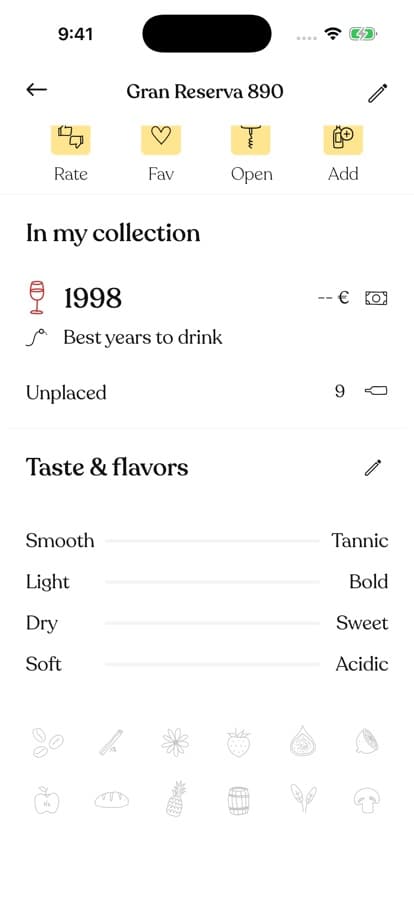 Structure sliders and flavour tags: enough vocabulary to remember why you liked it, without an essay.
The payoff arrives at the shop shelf. Standing in front of forty labels, the question is never abstract ("is this good?") but personal: did we like the 2019 or was it the 2020? Was that producer the one that disappointed twice? Your log answers from your pocket, which beats answering from a hunch. If several bottles of the year were shared at a barbecue, the pairing notes you'd otherwise lose are one tap away too.
What a year of data quietly teaches
A few months in, patterns emerge that no single bottle could show:
- Your real taste, not your stated one. People who "prefer bold reds" discover half their thumbs-up went to Galician whites.
- Your price sweet spot. The log shows where satisfaction stops tracking price for you, which is the single most money-saving fact in wine.
- Your repeat offenders. Producers you keep rebuying and enjoying deserve promotion to a case; wines you rebuy out of habit and never rate well deserve retirement.
None of this requires discipline beyond the single tap at cork-pull. That's the design: the journal is a by-product of using the cellar, not homework.
Frequently Asked Questions
What happens to a bottle after I open it?
It leaves your active inventory and joins the consumption history with its date. If you tapped by mistake, restore it — nothing is destroyed.
Do I have to rate everything I open?
No. Rate the ones with a verdict, skip the rest. Even bare open-dates carry signal: frequency, seasonality, and which bottles you actually reach for.
Can I log a bottle I drank somewhere else?
Yes — add the wine to your collection and open it in the same visit. It passes through your inventory into the history, so restaurant discoveries still count.
If you've ever stood in a shop trying to remember whether you liked something, let the app remember for you. Download WineNest and start the journal with tonight's bottle.